Project workflows
Run project commands from the destination repository or provide the global --project <path> option.
Use the interactive command center
Section titled “Use the interactive command center”Run skill-sync with no subcommand in an interactive terminal, or run the
explicit command below:
skill-sync tuiThe command center opens with managed-skill health, not only inventory totals.
It keeps the selected scope and screen in the header, offers contextual help on
?, supports multi-selection, and reports valid Codex/Claude skill
directories that exist on disk but are not represented by this project’s state.
In the catalog, press / to enter search mode; every character is search text
until Enter keeps the filter or Esc clears it. Press f for the group chooser
and c to clear both filters. Rows stay bounded to terminal width, and wide
terminals show a selected-skill summary.
During an in-flight command, Ctrl+C requests cooperative cancellation through
the normal commit-aware runtime boundary. The interface waits for a safe
boundary rather than claiming that a committed operation was cancelled.
Project and global dashboards honor a valid effective defaults.targets set
and fall back to Codex only when no valid target set is available.
From the catalog, press x on the highlighted skill to review canonical
removal. The TUI shows the exact ID and library revision, warns that installed
copies remain orphaned, and revalidates the preview when y is pressed. If the
revision changed, the updated review requires a second confirmation.
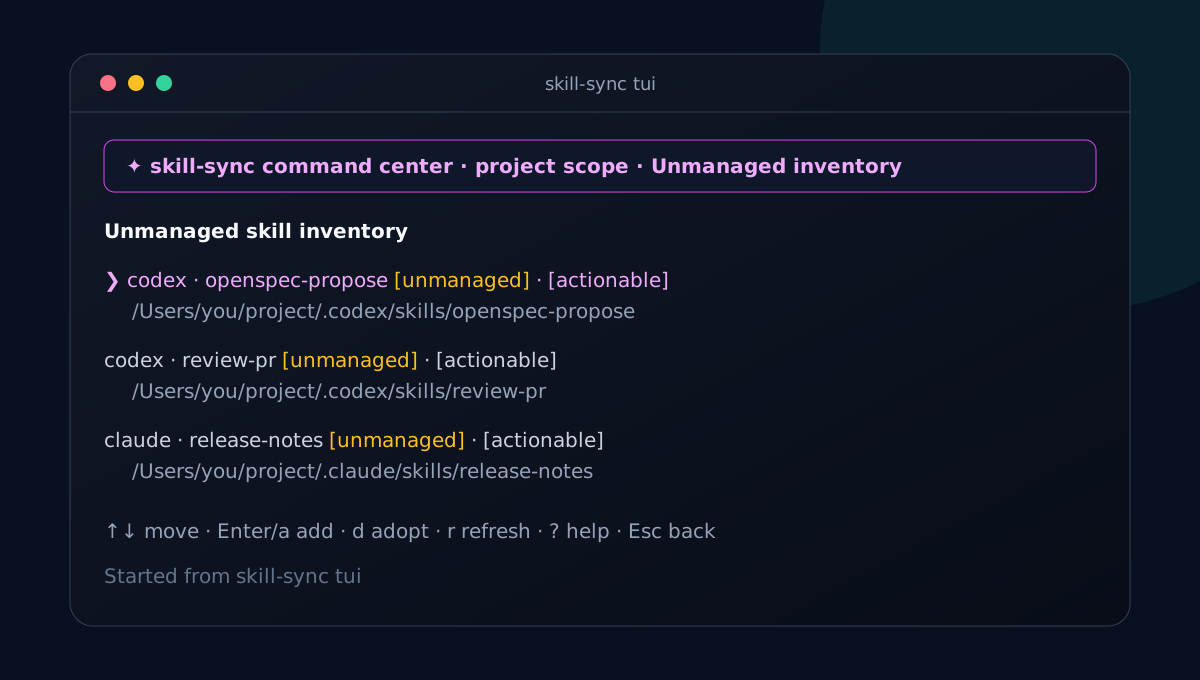
The inventory is read-only while browsing. Press Enter or a on an eligible
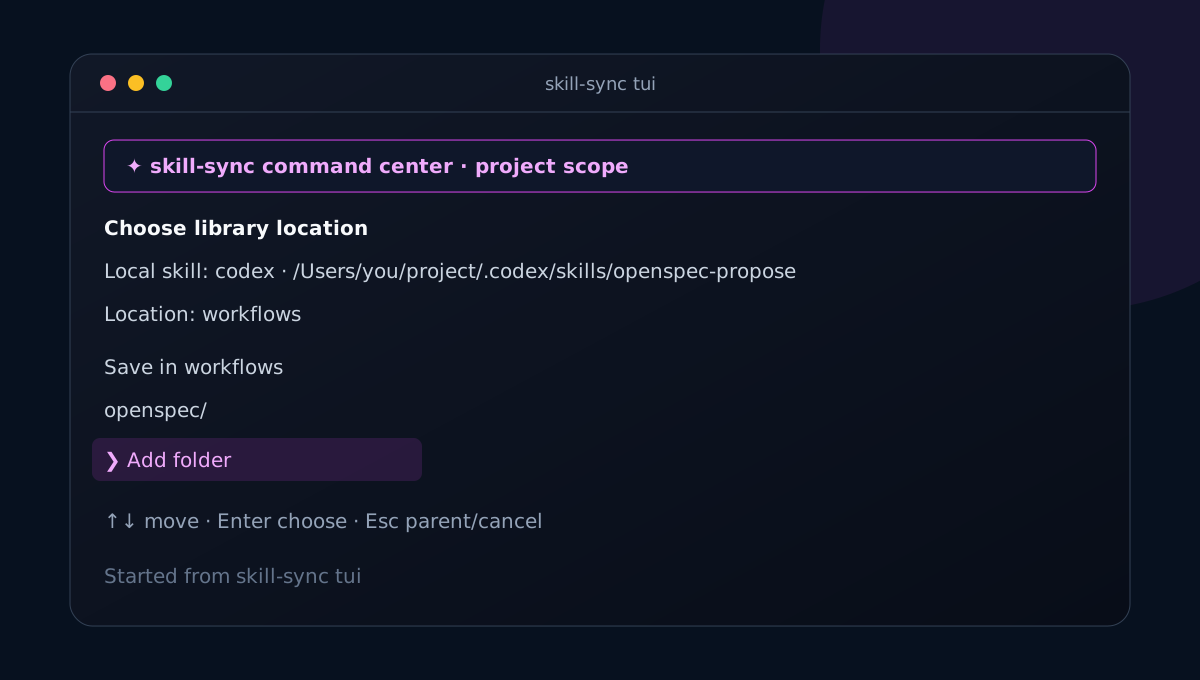
entry to add it to the Git library. Choose a group with the arrow keys; every
location offers Save in …, its immediate child folders, and Add folder.
Adding a folder accepts one portable name and opens that new location, where the
user can save or add another nested folder. New folders remain virtual until the
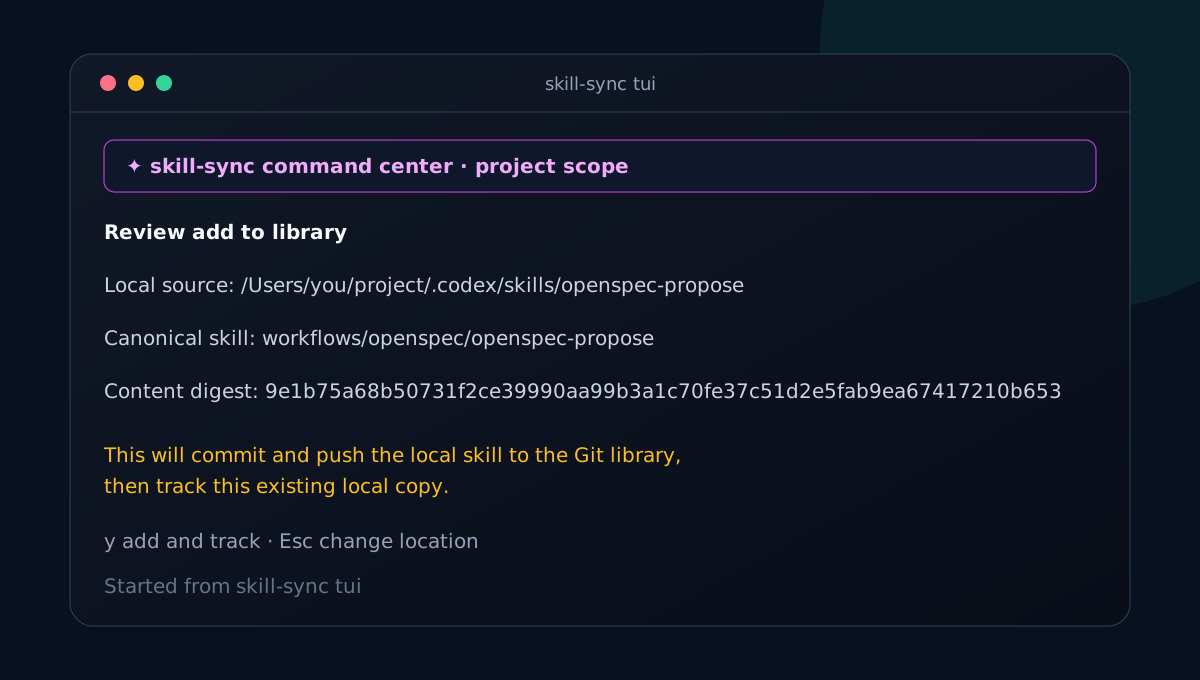
review is confirmed. Review the exact canonical ID and digest, then press y;
the TUI runs the normal add workflow and adopts the unchanged local directory
so it is immediately managed. Press
d instead to adopt a skill that already exists in the library after choosing
an explicit compatible qualified canonical ID. The final exact-digest check
writes tracking state only and never overwrites the target directory. Install and sync actions always show a review
and use the normal collision, backup, and local-edit safety rules. tui is
unavailable with redirected streams, --json, --no-input, or --yes; use the commands
in this guide for automation.
Run skill-sync --global or skill-sync --global tui to use the same visual
workflow against user-level state; its inventory then identifies global skills
that exist on disk but are not globally tracked.
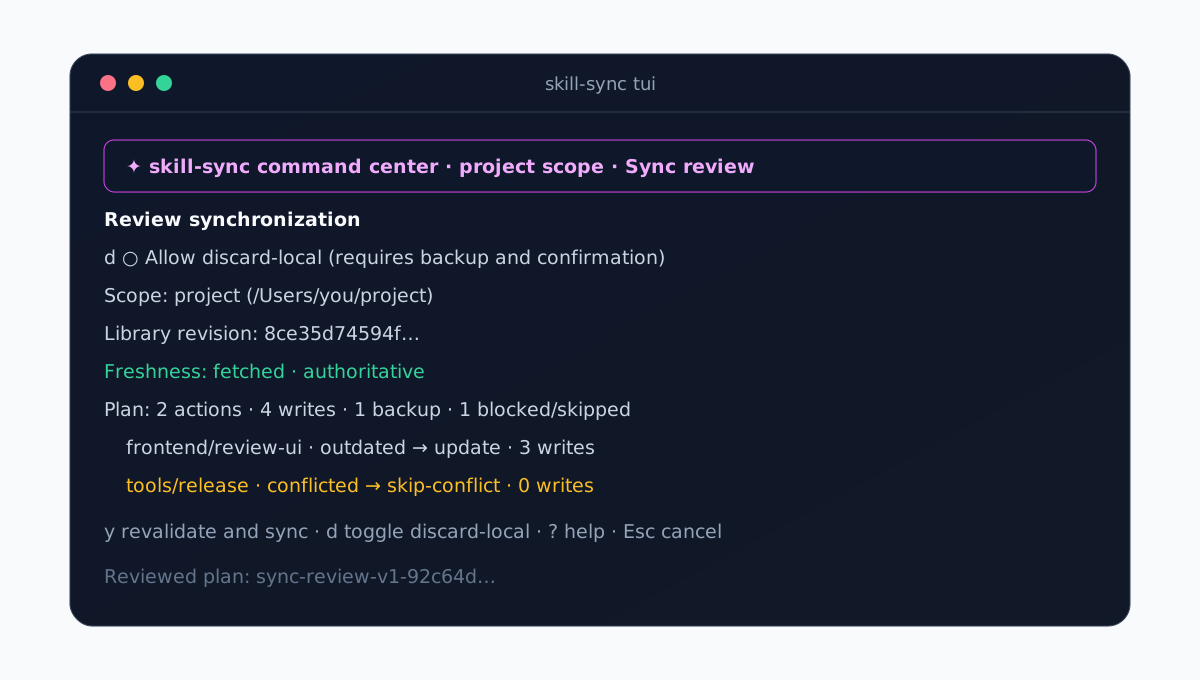
From Managed skills, press Enter to explain the highlighted state and see
exact diff and single-skill update preview commands. Press s to build a real
sync --dry-run review. It shows the library revision and freshness, actions,
writes, backups, and blocked or skipped skills. Toggling discard-local rebuilds
the review with a backup warning. Confirmation repeats the preview; a changed
sync-review-v1-... fingerprint is displayed and requires another confirmation.
Diagnostics remain available from the normal overview after setup.
Add a local skill visually
Section titled “Add a local skill visually”Open Unmanaged inventory to find valid Codex and Claude skill directories that are not yet tracked in the selected scope.
The location browser is keyboard-driven. Move through groups with the arrow keys, choose Save in … at the desired location, or select Add folder. A new folder opens immediately, so you can save there or create another nested folder before anything is written.
The final review shows the exact canonical skill ID and digest. Pressing y commits and pushes that local content to the canonical Git library, then starts tracking the unchanged local directory. The target files are not replaced.
On first run, Create GitHub library (starts empty) makes the authoring state
explicit. After setup, a populated library opens the catalog with
Space selection and i install-review guidance. An empty library remains on
the overview and points to Unmanaged inventory for an on-disk skill, with
skill-sync add <path> --dry-run retained for arbitrary paths. A catalog
with no search or group matches reports that filtered state separately and does
not suggest adding a skill.
Adopt an existing exact copy
Section titled “Adopt an existing exact copy”Use adopt when a valid agent target directory already exists and you want to
track it without replacing it. Supply the exact qualified canonical ID and the
target containing the local copy:
skill-sync adopt frontend/review-ui --target codex --dry-runskill-sync adopt frontend/review-ui --target codexThe directory must exactly match the selected canonical skill. A divergent,
invalid, symlinked, missing, or already-managed path is refused unchanged.
For user-level copies, add --global.
Install selected skills
Section titled “Install selected skills”skill-sync install frontend/review-ui \ backend/review-api \ --target codex \ --target claude \ --gitignore \ --dry-runRun the complete Next: skill-sync ... --expect-plan ... command printed by the human preview to
apply it. That handoff uses the resolved exact qualified IDs, or preserves --all, sorts repeated
--target flags, includes the resolved --gitignore or --no-gitignore project policy, and keeps
project/global scope; global handoffs omit the inapplicable policy flag. If you supplied an explicit
project, replace its safe --project <project-path> placeholder with the labeled path from the
preview. Repeat --target for each agent or use configured defaults. --all selects every eligible
skill. --gitignore and --no-gitignore explicitly control the project’s managed ignore block.
A direct install with neither --expect-plan nor explicit --yes is still preview-first.
Interactive human use prints the plan and asks before applying it. When confirmation is unavailable
because of --no-input, --json, CI, or redirected streams, it returns a cache-only preview and
makes no project or global writes. --expect-plan applies the reviewed plan; explicit --yes is
the intentional one-command automation opt-in.
install creates new managed copies; it never acts as an update. Existing IDs, path collisions, invalid content, or unsafe destination state stop before writes.
Install for all projects
Section titled “Install for all projects”Use explicit global scope when the skill belongs in your user-level agent setup:
skill-sync --global install frontend/review-ui --target codex --dry-run# Run the exact --expect-plan command printed by the preview.Global copies use ~/.codex/skills/<name> or ~/.claude/skills/<name>, with
separate skill-sync state. They do not create project manifests or manage a
project .gitignore. Add --global to status, diff, sync, update, or
uninstall to stay in this scope.
Check reconciliation state
Section titled “Check reconciliation state”skill-sync statusskill-sync diff frontend/review-uiskill-sync sync --checkstatus classifies each tracked target. diff focuses on one skill without printing unrelated file bodies. sync --check fetches current canonical state and reports drift without applying it.
Refresh all tracked skills
Section titled “Refresh all tracked skills”skill-sync sync --dry-runskill-sync syncSafe outdated and missing copies are updated. Local-only changes are preserved; concurrent local and canonical changes become conflicts. Use --discard-local only after reviewing the diff and deciding that replacement is intentional:
skill-sync sync --discard-local --dry-runskill-sync sync --discard-localThe destructive option and confirmation are separate safeguards. A backup is created before modified content is replaced.
Refresh selected skills
Section titled “Refresh selected skills”skill-sync update frontend/review-ui --dry-runskill-sync update frontend/review-uiPass several IDs or --all. update --all is equivalent to sync. Like sync, update never publishes local edits back to the library.
Work from an explicit cached revision
Section titled “Work from an explicit cached revision”Network-independent reconciliation requires the full commit ID of an existing cached revision:
skill-sync update frontend/review-ui --offline <full-commit>skill-sync sync --offline <full-commit>Offline output is marked stale and is never described as current with the remote. A missing or abbreviated revision is rejected rather than silently choosing another cache entry.
Uninstall managed copies
Section titled “Uninstall managed copies”skill-sync uninstall frontend/review-ui --dry-runskill-sync uninstall frontend/review-uiPass --all to select every managed skill. Modified local copies are preserved unless --discard-local and confirmation explicitly authorize removal. Uninstall touches only selected managed copies and related project metadata; unrelated files beneath .codex or .claude remain intact.
For conflict classifications and backup handling, continue to conflicts and recovery.